

A five-person company is not a miniature enterprise
For AI agents for early-stage startups, the best starting point is recurring busywork with clear inputs, outputs, and human review. Keep customer discovery, pricing conversations, and messy support loops close to the team until they become predictable enough to encode. That gives founders their time back and keeps the signals that shape the product.
We wrote this page for startups that use AI agents to run their own work. It isn't a funding list, and it doesn't cover how to build an agent product. If you want the definitions first, read what AI agents are and what agentic AI means.
You don't have a rev ops team or a procurement process. You have five people who answer Slack at dinner and still forget to log what they learned on the last sales call. In that world, most of what you read about AI agents for startups sounds like a borrowed playbook: automate everything, move faster, hire fewer people later.
Some of that is real, and most of it is timing. Agents belong in your stack. The open question is which hours you're willing to give back, and which messy loops you still run by hand so you learn how customers actually behave.
Automate what repeats before you automate what teaches
Start with work that's painful because it's predictable: the weekly metric pull, the competitor page check, the onboarding summary you keep drafting from notes scattered across email, the short internal brief built from GitHub activity and support threads before standup. These jobs have a shape and a cadence, and they eat founder time without changing your mental model of the business.
That's the first lane worth taking. It covers the busywork that startups usually hand to AI agents first: defined inputs and outputs, plus a human who signs off before anything customer-facing ships.
The second lane is different. It's the work that teaches you product-market fit. You take the discovery calls yourself. You sit in on the pricing conversations and watch someone hesitate. You read the support tickets that reveal a bug you didn't know existed. Automate that too early and you don't save time, you buy silence. The agent sends polished replies, and you lose the raw signal you would have recieved on the call, the kind that changes a roadmap.
Treat automation like hiring. You wouldn't outsource your only sales conversations in week two. You might hire someone to reconcile invoices once the pattern gets boring. The same rule applies to software that acts on its own.
The learning tax nobody puts on the slide deck
Every early startup pays tuition in repetition. You rewrite the pitch because a prospect asked a question you'd never heard. You patch the doc because onboarding confused the third customer in a row. That friction is expensive, and it's also data you can't download from a market report.
Hand a learning loop to an agent before you understand it yourself and two things happen. The agent follows the instructions you gave it, not the truth you haven't written down yet. And your team stops practicing the skill: founders stop hearing objections, and engineers stop seeing which docs users never open. On paper the company moves faster. In insight it moves slower.
Agents still belong in the stack. Sequencing is the wrinkle. Let humans own the loop until the surprises stop surprising you, then encode the stable parts into a workflow with triggers and checks, and leave an audit trail someone can open. You're removing retyping, and your judgment stays put.
Good first agents for a tiny team
Workflows beat chat windows when you want to save time next week. A one-off prompt is fine for brainstorming, but it won't save next Tuesday.
Research agents fit early teams well. They can gather public context, summarize what changed since the last check, and attach sources so someone can verify in minutes instead of hours. Reporting agents fit when everyone agrees on the recipe and nobody wants to cook it again: connect the tools, fix the date range, compare to last period, call out what moved. Internal briefing agents fit when standup prep eats the morning. They pull from Linear, Slack, Stripe, PostHog, or whatever you already use, and hand you a calm memo instead of five tab hunts.
Operational follow-through is another early win: reminders tied to real events, drafts waiting in a queue for approval, scheduled checks that only ping you when a threshold crosses. Aim for an early-warning light, because a siren that fires on every twitch gets muted by Thursday.
Defer these for now: fully autonomous customer replies before you trust your own playbook, automatic CRM updates before your fields mean something, and anything that writes to production with no human in the path. You'll definately want them later, but earn the scars first.
Knowledge beats clever prompts
Small teams change their story weekly. If your agent reads stale docs, it will confidently automate the wrong thing.
At this stage, structured knowledge matters more than model choice. Give agents one place to read positioning, pricing rules, supported integrations, and what you won't promise on a call. When analysis stays read-only against source tables and proposed writes wait for approval, you keep your speed without turning a Friday fix into a Monday apology.
Connect the tools you already live in instead of importing a second universe. Slack handles nudges, Notion or Linear hold tasks and specs, Gmail supplies the threads that should become summaries, and GitHub shows what actually shipped. A stack you already use beats a demo stack nobody opens after install day.
How to roll out without theater
Pick the one workflow that embarrasses you every week and name an owner. Define done: what the output looks like, who approves it, and what happens when the agent is wrong. Run it by hand once more so you know the steps, then wire the agent to those steps with a schedule or trigger.
Watch the shape of the errors, not the volume. A useful agent produces boring reliability: the same sections, labeled gaps, and links you can click. A useless one produces confident fluff. Fix the instructions, tighten the sources, narrow the scope. Add a second workflow when the first one feels dull in a good way.
If someone argues you should agentify the whole company before launch, ask what learning you'd skip. If the answer makes you uncomfortable, that's your priority order.
How AI Agent helps
AI Agent is a no-code platform for building, deploying, and running agents that automate busywork such as research, workflows, and reports. Workflows handle multi-step jobs on a schedule or when something triggers them. Autopilots run on their own when you want steady motion without babysitting. Company Brain holds the connected, structured knowledge your agents read from, with read-only analysis against source tables and human approval before proposed writes land anywhere important.
It connects to tools early teams already use, including Stripe, PostHog, GitHub, Notion, Linear, Slack, and Gmail. The positioning is blunt on purpose: get more done without doing more.
Automate the ritual you already trust, keep discovery loops human until they stop teaching you, and spend the hours you get back on work only your team can do.
Who does what
| Stage | What the agent does | What stays with a person | What breaks without review |
|---|---|---|---|
| Research and monitoring | Gathers public context, summarizes changes, and attaches sources | Verifies sources and decides what matters | Stale or incorrect context becomes confident guidance |
| Recurring reporting | Pulls metrics, applies the agreed date range, compares periods, and flags movement | Approves the report and interprets the changes | A wrong range or metric can mislead the team |
| Internal briefing and standup prep | Pulls activity from connected tools and produces a short memo | Checks gaps and uses judgment during standup | Important work or context can be omitted |
| Customer replies and CRM writes | Drafts replies and proposes CRM updates for approval | Handles customer loops and approves every reply or write | Polished replies erase useful signals and records can become inaccurate |
Workflow or agent? A rule you can use this week
Anthropic draws a useful line in Building effective agents. Workflows are systems where LLMs and tools are orchestrated through predefined code paths. Agents are systems where LLMs dynamically direct their own processes and tool usage. Anthropic also recommends finding the simplest solution possible and adding complexity only when needed, because agentic systems often trade latency and cost for better task performance.
For a small startup, that turns into a rule. If you can draw the steps on a whiteboard, build a fixed workflow. Let an agent decide only where the input is too messy to draw. AI Agent keeps the two apart on purpose. A workflow is a canvas of steps you build, with Agent, Tool, Send, Condition, and Approval blocks. An Autopilot gives one agent a written task, a trigger, and an output. You can't convert one into the other, so pick by the shape of the job. The workflows and Autopilots docs explain the choice, and AI agents vs traditional automation tools covers where rule-based tools still win.
What to automate at each startup stage
Your stage decides how much to hand over. The earlier you are, the more of the learning you should keep.
| Stage | Automate | Keep with the team |
|---|---|---|
| Pre-product | Market and competitor research with sources attached, and a weekly note to yourself | Every customer conversation, because those calls tell you what to build |
| First customers | A lead research queue, a weekly metrics report, and onboarding summaries | Pricing conversations and the support tickets that reveal bugs |
| A small team | Standup briefs, feedback summaries, support triage, and investor update drafts | Final customer messages and anything that makes a promise |
| Repeatable revenue | Scheduled follow-ups, recurring reports, and event-driven workflows | Approval of every write to customer records or money |
Scheduled runs need a paid plan, starting with Start. Event and webhook triggers start on the Pro plan, so schedules will carry you through the first stages. See pricing for the Free, Start, Pro, and Max plans.
Eight first workflows for a founder-led team
Founder-led teams usually know the weekly rhythm and still lose it. These eight jobs each have a clear shape, so you can review the output in a minute:
- A weekly founder report
- A customer feedback summary
- A lead research queue
- Inbox triage
- A product launch checklist
- Competitor monitoring
- Support issue prioritization
- An investor update draft
They save attention more than minutes. The agent prepares the report, lists the open loops, surfaces the risks, and creates the tasks. You still choose what happens next. Pick the one that bothers you most on a Friday afternoon and start there. The templates page has ready-made starting points.
Keep humans in charge of promises
Small teams usually win because customers trust the people behind the product. Don't let automation make promises your team hasn't approved. Use agents to draft, summarize, and flag, and keep final customer messages, pricing decisions, and strategic commitments with a person.
In AI Agent, each action an agent proposes on a connected app becomes a card, and nothing runs until you approve it. A workflow can also pause at an Approval block and wait for your decision.
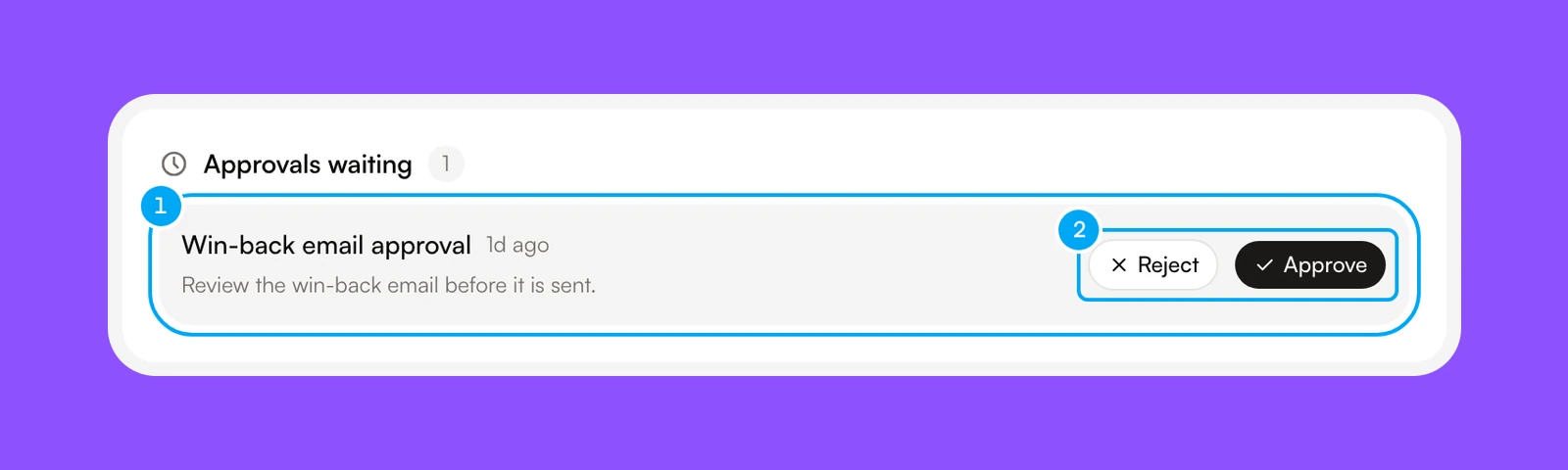
The same idea runs through human-in-the-loop AI agents.
A worked example: a Monday founder brief
Say you want a one-page brief every Monday morning: last week's revenue, product usage, and what shipped. In AI Agent you can build it as a workflow.
- Add Tool steps that read from your connected Stripe, PostHog, and GitHub accounts.
- Add an Agent step. Use Insert data to pass it the results and ask for a short brief with the movements called out and any gaps labeled.
- Add an Approval block so the brief waits for you to read it.
- Add a Send step to deliver the approved result.
Use Test to try a step with sample data, then Run for a real run. Set a schedule trigger live only after the inputs, outputs, and review points look right. When a workflow contains writes that run without a person, AI Agent lists them in an Allow these writes? dialog first. The build and test a workflow guide walks through each step.
Frequently asked questions
What does AI Agent cost for an early-stage startup?
AI Agent's paid plans start at $49 on the Start tier, and Pro is $149. The right choice depends on how many workflows need to run and how much connected knowledge the team wants agents to use.
How much effort does it take to set up an agent?
Start with a recurring workflow that already has a clear owner and a recognizable finished output. Map the steps, connect the tools involved, define what requires approval, and run the process manually so the instructions reflect how the work actually happens.
What risks come with using agents too early?
The main risk is losing useful customer and product insight behind polished automation. Keep discovery calls, pricing discussions, and unusual support cases with the team, while using agents for research, reporting, reminders, and drafts that receive review.
What breaks when an agent is given too much responsibility?
Agents struggle when the source material is stale, the instructions are vague, or the output can change something important without review. Narrow the scope, keep connected knowledge current, require approval for proposed writes, and leave an audit trail for each result.
What work can an agent replace for a small startup?
An agent can replace repeated research, metric collection, internal brief preparation, reminders, and draft creation. It gives the team back time spent on retyping and checking routine details, while judgment-heavy customer conversations remain with the people learning from them.